UI design
Catalyst
Hand it code that needs changing – a team of AI agents fixes it, tests it and ships it.
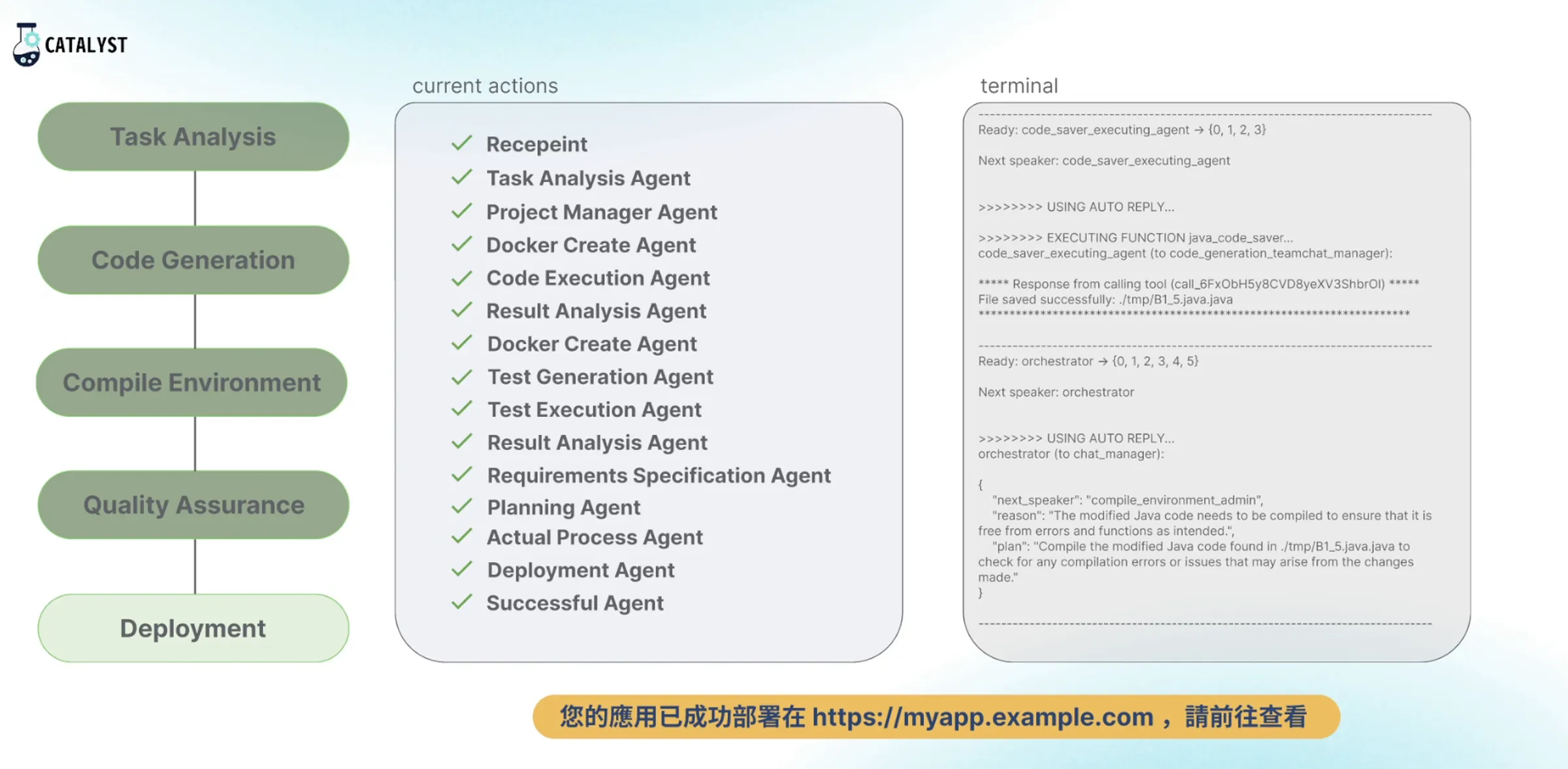
The brief for this track, “AI Ops toolkit”: take a piece of code and move it to a new version or language, speed it up, or fix its compile and runtime errors – then deploy it through CI/CD. Catalyst passes the job along a team of AI agents with one task each: pin down the request and plan, write the code, compile and run it in a container, generate and run tests, then deploy.
- 1st place
- TSMC IT CareerHack, AI Ops track
- 4 teams
- Code, compile and run, test, deploy – each its own group of agents
- Up to 3 rewrites
- A deployment config that fails its check goes back to be rewritten
What it does
Ask first, then build
A task-analysis agent first clarifies the problem and reads the code’s context, turns the request into a step-by-step plan, and only then hands it to the team responsible. Nothing starts on a guess.
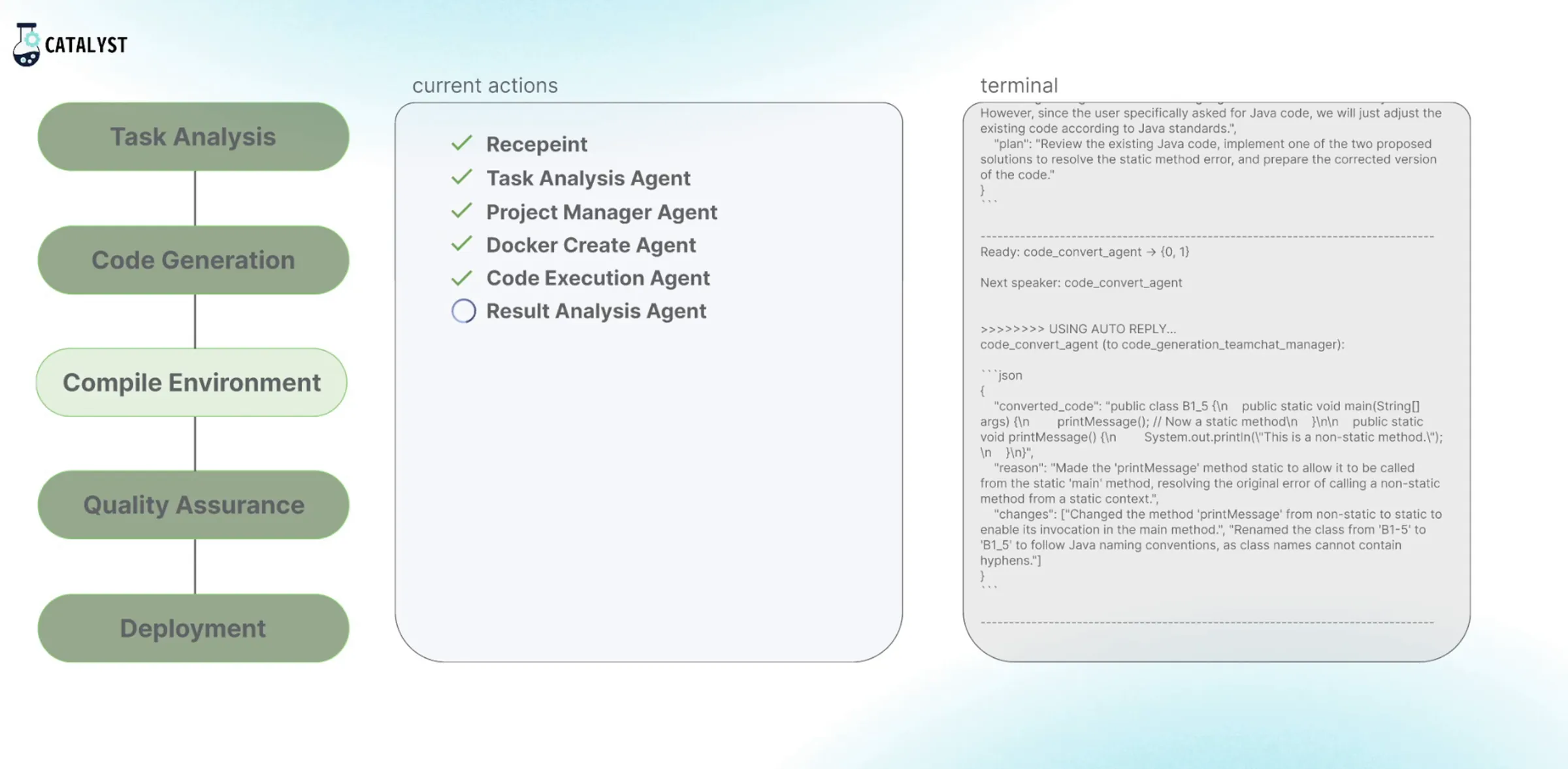
Every step in view
The stages on the left, the agents at work in the middle, their conversation on the right. Where the run is, and why a change was made, is all on screen.
Actually run in a container
The changed code is compiled and run in a Docker container, test cases are generated and run against it, and an analysis agent reads the result. Anything wrong goes back to be fixed.
Deployed, with the address
It writes a requirements spec and a deployment plan, generates the deployment config from reference docs, and rewrites it up to three times if it fails the check. When the deploy succeeds, the address is right there on screen.
Why a team of small models
One large model doing everything is expensive and prone to being confidently wrong; a team of large models uses even more tokens. Each of our agents does one job, so a small language model is enough – and every agent’s reply is checked before it goes to the next.
What I did
UI design
- UI design: the whole flow on screen, from uploading code and typing the request, through watching the agents hand off, to getting the deployed address
- Put the stages, the agents at work and their conversation on one screen, so anyone can see what each step is doing
Built with
Python · AutoGen · Docker